
One app for the whole trading day.
Size the next idea against your risk budget. Track open risk as you scale in and out. Close the day in 30 seconds. Then review every trade on the chart it actually traded, against your own rules.
A fresh install opens a full sample year, with no account and no card. The 30-day trial starts on your first edit or import, not at install.
Journals start after the close. CrucibleTrade replaces the sizing spreadsheet you run during the day and the subscription journal you visit after it.
An entry and a stop become a share count
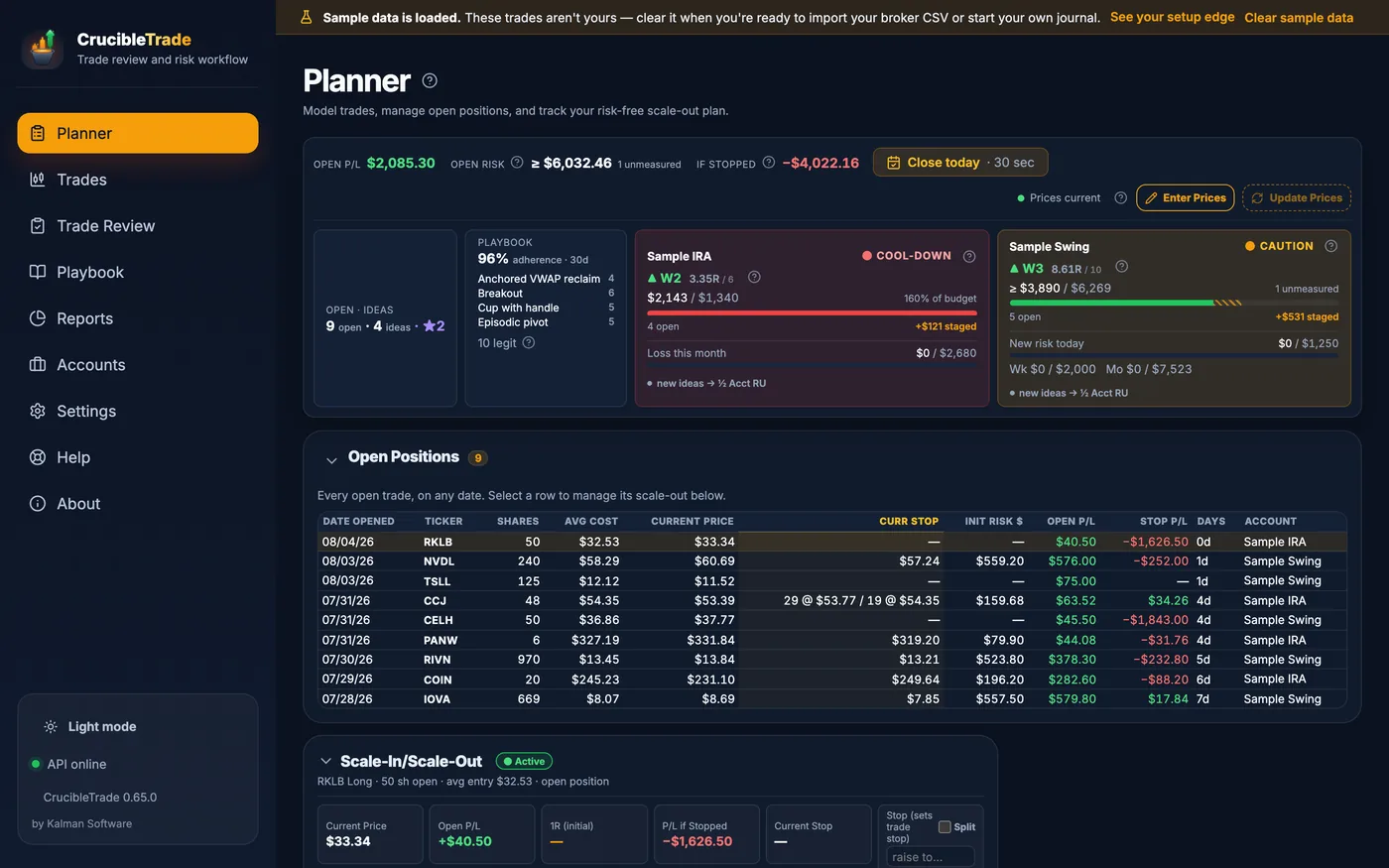
Tomorrow's ideas go in a grid. Type the entry and the stop, pick how much of the account's risk budget the idea gets, and the share count is already there. No spreadsheet, no arithmetic at 9:28.
- Entry + stop + risk mode → shares, instantly: one account risk unit, half a unit, or a custom dollar or percent amount.
- The setup's playbook rules sit beside the plan. Breakout rules on screen while you plan a breakout.
- A focus list for the handful of names you're actually watching, kept apart from the full idea grid.
- Your track record on the setup, such as "4-for-5," read off the trades you already journaled.
- A pre-trade reminder from your own analytics: mistake hot-spots, best setup windows, weekday edge.
- Mark an idea "Entered" and it becomes a tracked trade with its stop, setup, and thesis. Or import the broker CSV afterwards and let the matcher rebuild it.
Know your open risk without a spreadsheet
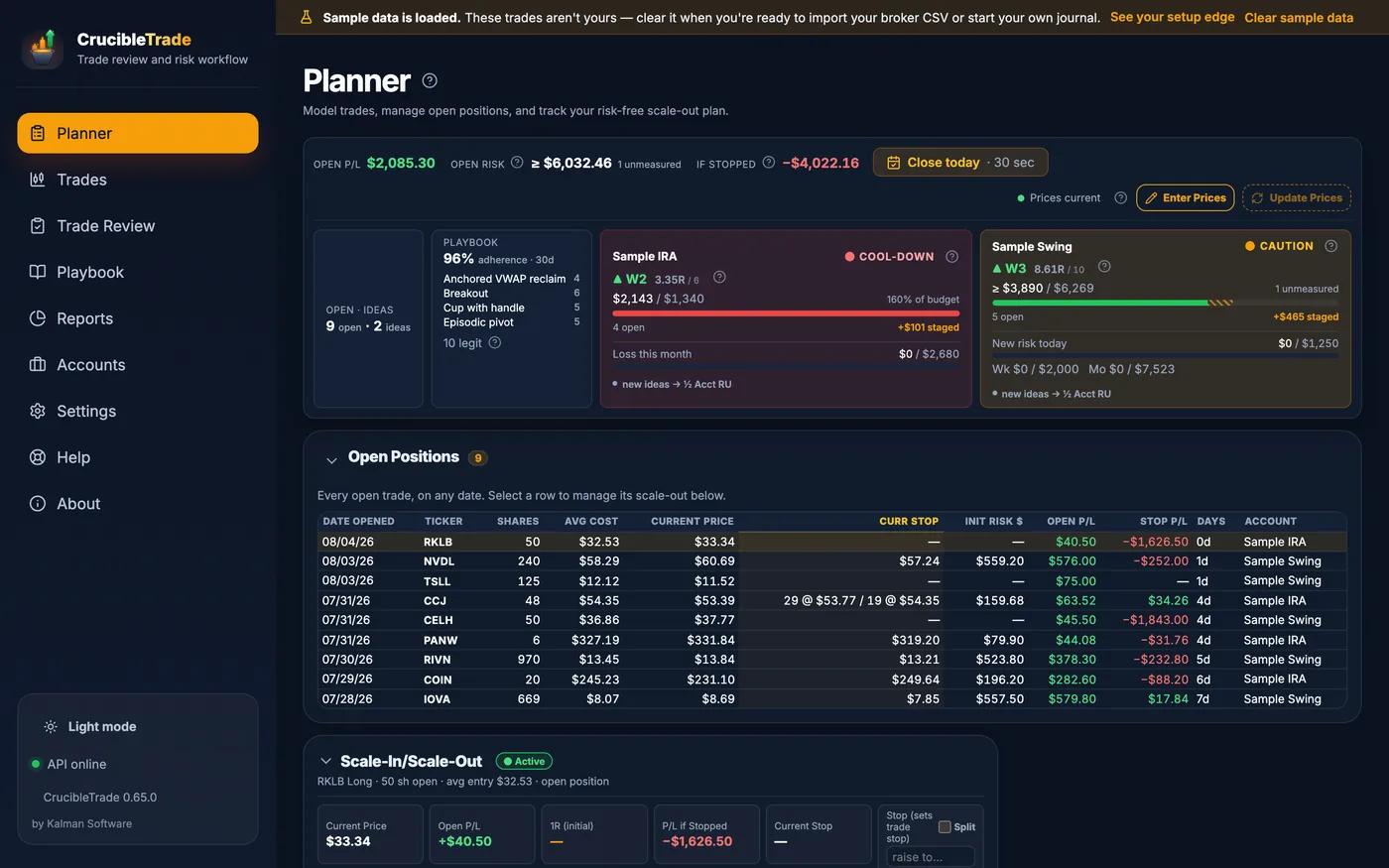
This is the hour incumbent journals skip. Positions are on, you're scaling in and out, and the question is not what your P/L was last month. It's how much you have at risk right now, and whether you should be adding at all.
- Account tiles pinned to the Today page: open risk, room left before each limit, unrealized P/L, and where the book lands if every stop fills. Positions with no stop are named, not counted as zero.
- The open-position book: every open trade on any date, with its current stop, its initial risk, and what it's costing or making.
- A scale-in / scale-out ledger that keeps track of what you've banked and what's still on.
- Break-even in one click: move the stop to your average entry and watch the trade stop being able to hurt you.
- "Risk left" per account: how much of today's, this week's, and this month's risk budget you have already committed.
- One throttle per account: Clear → Caution → Cool-down → Locked, from your losing streak, recent R, open risk, and your own limits. It sizes new ideas down to half a unit; it never blocks an entry.
- Prices refresh when you ask, or you type your own marks. Price downloads ship off, and open P/L, open risk and the throttle all work without a feed. No streaming tape, no market-data subscription.
Stops move. Your R math shouldn't lie.
The moment you trail a stop, a tool that measures R against the current stop quietly rewrites your whole track record. Every expectancy number downstream is then wrong, and it's wrong in the flattering direction.
R stays anchored to your initial stop. The denominator never quietly rewrites itself when you trail.
Split a stop across up to three lots: trail one, park one at break-even.
The worst case recomputes as you scale out. Know the moment a trade can't hurt you.
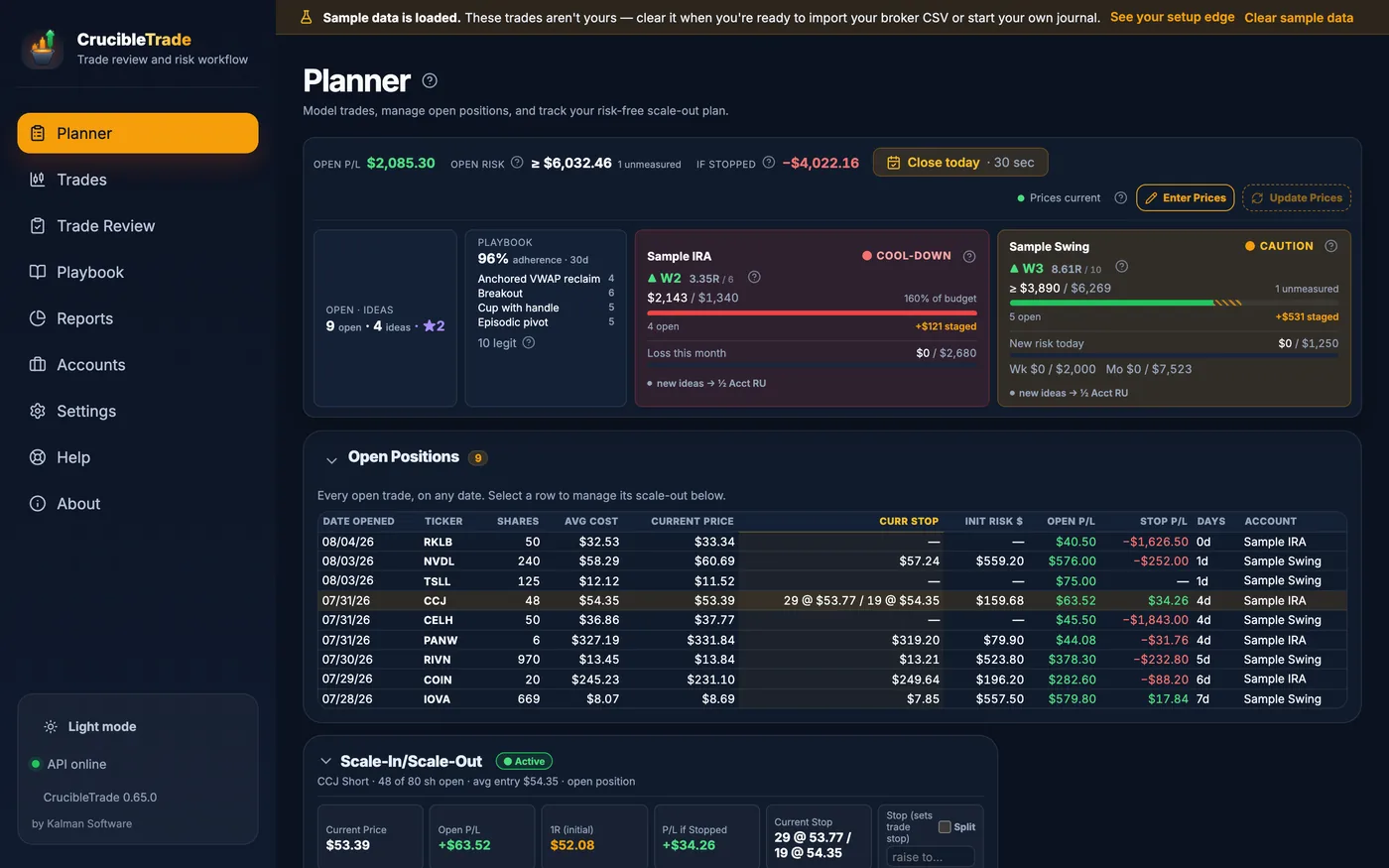
Mid-scale-out: part of the original size is still on. The stop is split into two legs at two prices, so one part of the position can be protected differently from the rest. The panel prints what the position makes or loses if that stop is hit, so the worst case is a number rather than a guess. The 1R line stays where the trade opened it, measured off the initial stop, so its R-multiple means the same thing on the last day that it meant on the first.
See what breaking your own rules costs you
Not "how did I do?" Every journal answers that. The question is whether the discipline is paying, in dollars, and whether it's getting better.
Close the day in 30 seconds
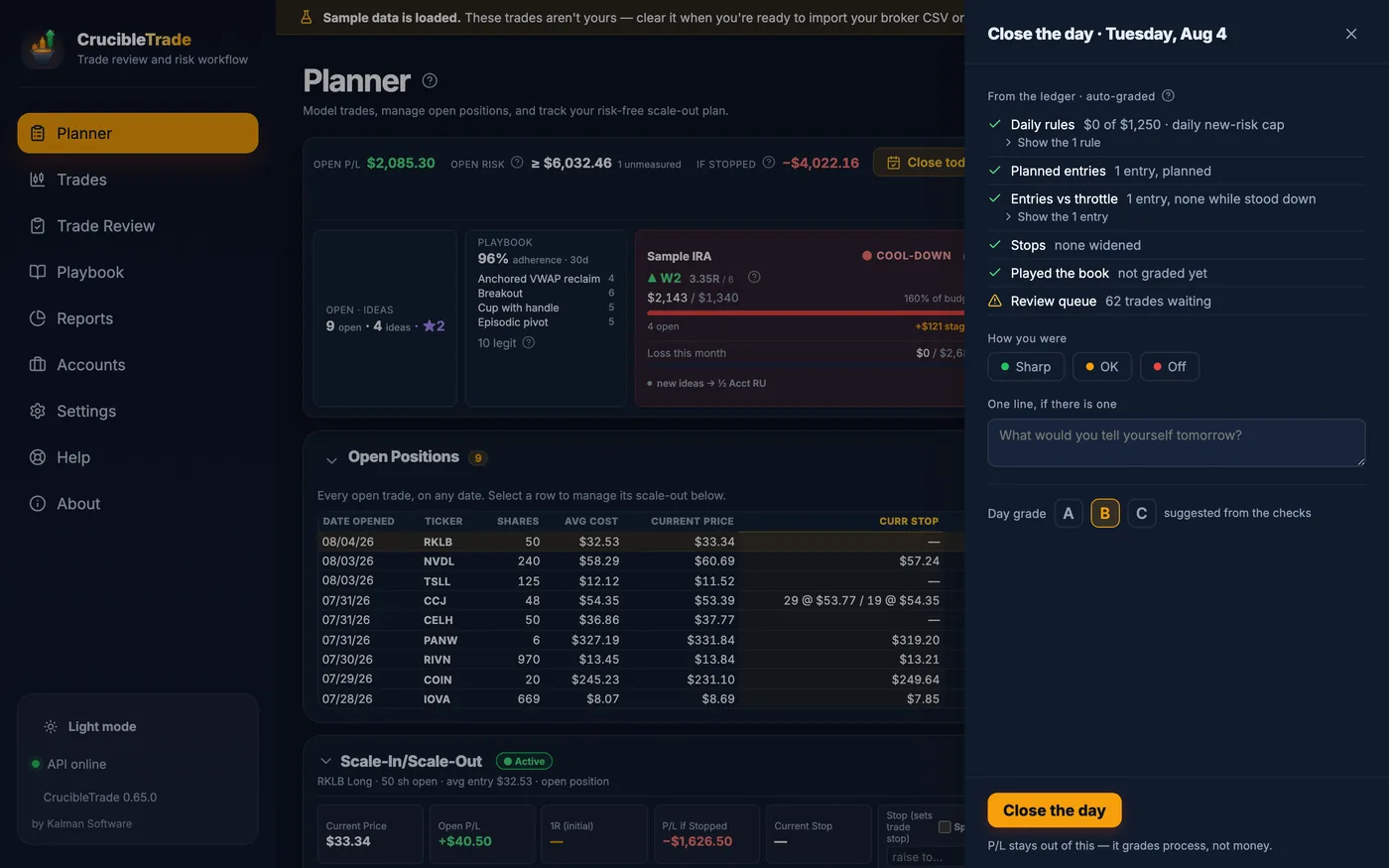
A "Close the day" button at the top of the Today page opens the panel. It grades the day's process straight from your ledger, asks how you were, takes one optional line, and suggests a grade.
- Graded on process, not P/L. A red day with every rule followed is an A. A green day that broke your daily cap is not.
- Seven checks, auto-graded from the ledger: risk against the daily rules, risk per trade, unplanned entries, entries against the throttle, widened stops, whether you played the book, and the review backlog.
- One line on how you were: Sharp, OK, or Off, and a sentence to your tomorrow self.
Every trade, on the chart it actually traded
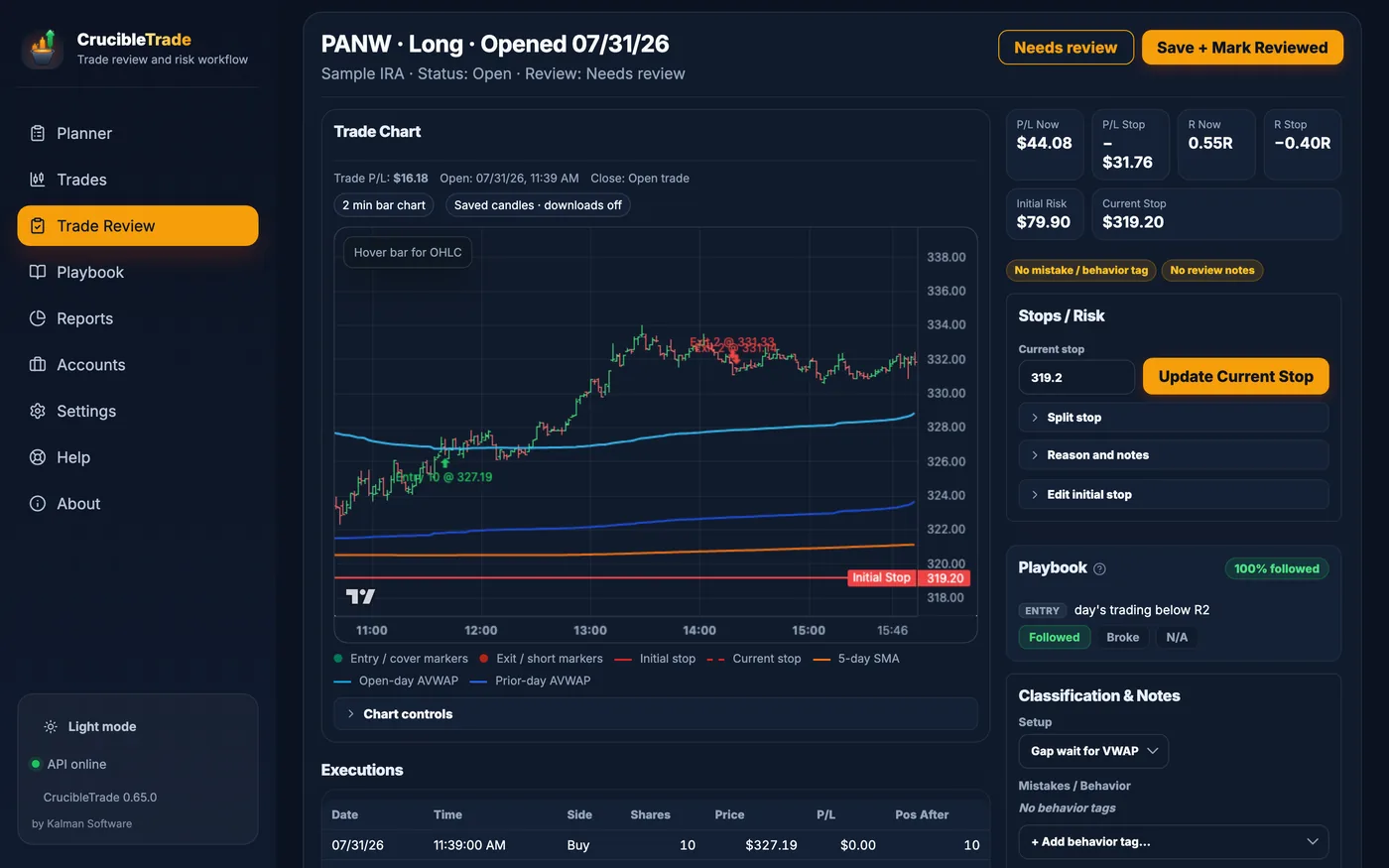
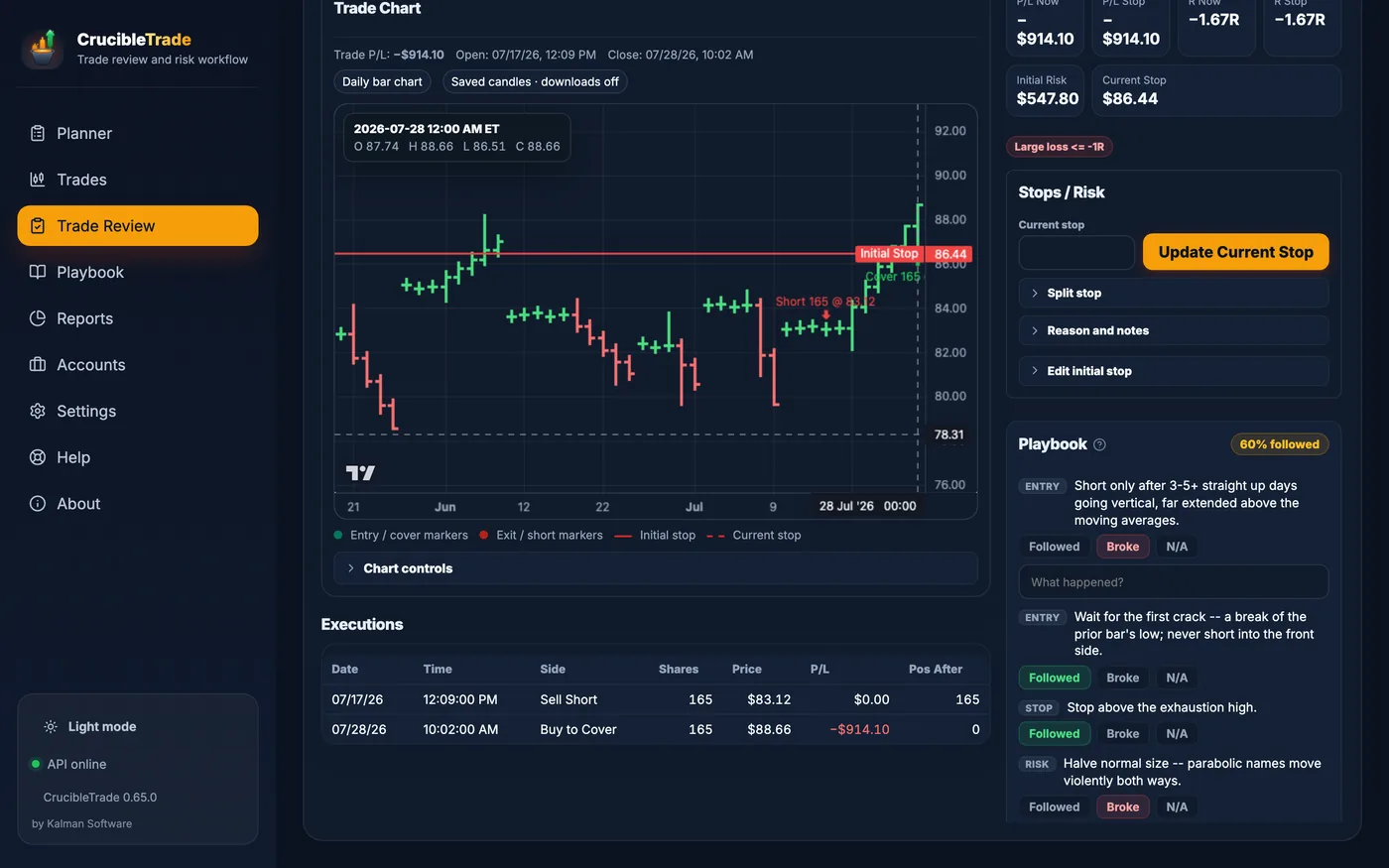
CrucibleTrade caches the bars and rebuilds the tape you traded, with recent trades on 2-minute candles and older swings on daily, so you can see whether you bought the breakout or chased it, and where your stop really should have been.
- Entry & exit markers on real 2-minute to daily candles, with both stop lines: the one you started with and the one you ended with.
- Anchored VWAP & moving averages for open-day, prior-day, and 5-day context.
- Your playbook as a checklist right on the chart. Grade each rule Followed, Broke, or N/A, with a "what happened?" note.
- A guided queue flags trades missing a setup, a behavior tag, a stop basis, or notes. Keyboard-driven, with review status set in bulk across any filter, so a 500-trade history is a workflow instead of a wall.
- Setup, mistake & lesson tags that feed straight into the Playbook and the reports below.
Put a dollar figure on your discipline
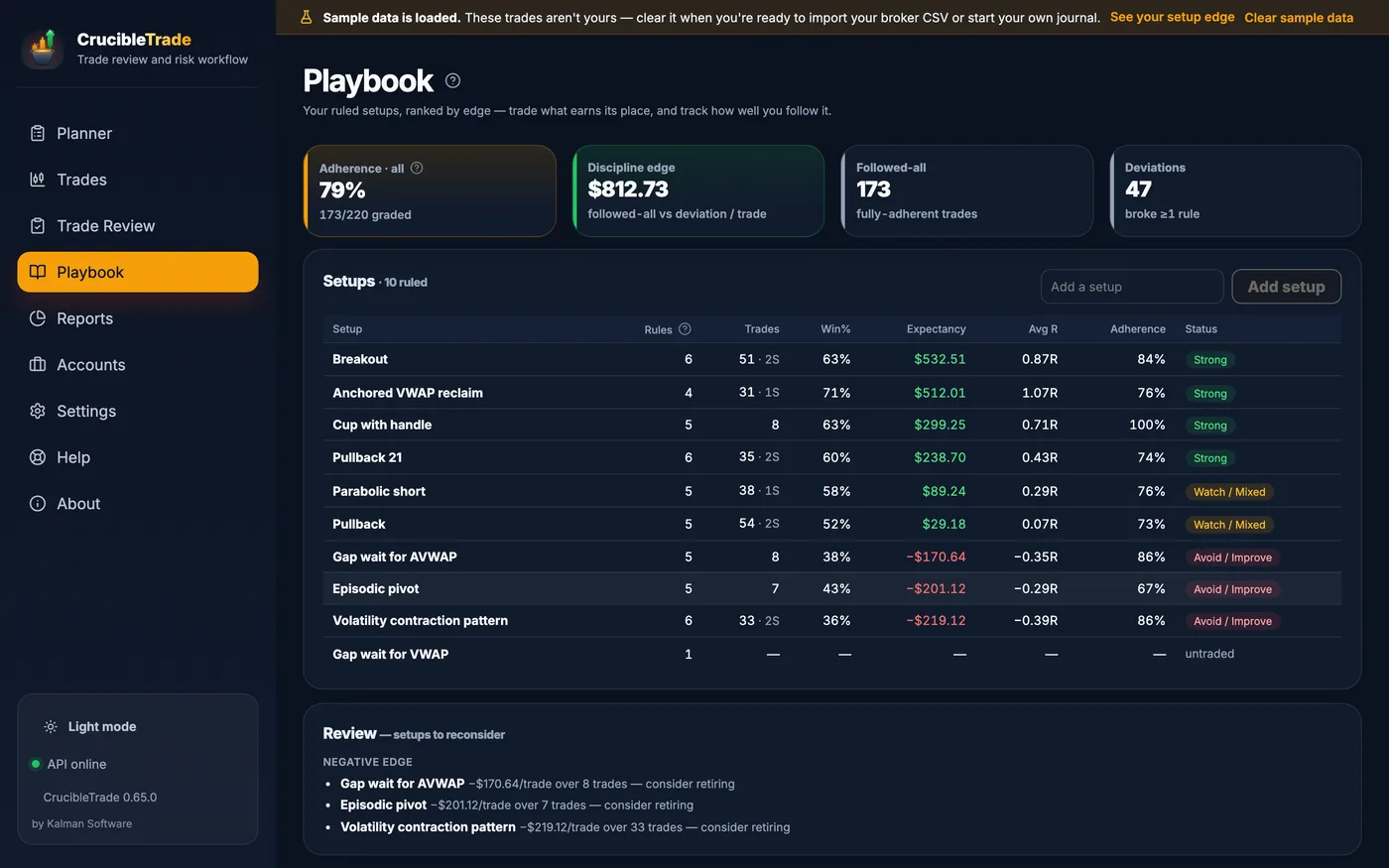
Once trades are graded against your own rules, the arithmetic is available: what a followed-all trade is worth versus a trade where you deviated. That gap is the discipline edge, it heads the Playbook, and it is the number this whole app exists to show you.
- Followed-all vs. deviation expectancy, side by side, with the per-trade dollar gap between them across the top of the Playbook.
- Setups ranked by edge: trades taken, win rate with scratches split out, expectancy, average R, and adherence to that setup's rules. Bucketed Strong / Watch / Avoid.
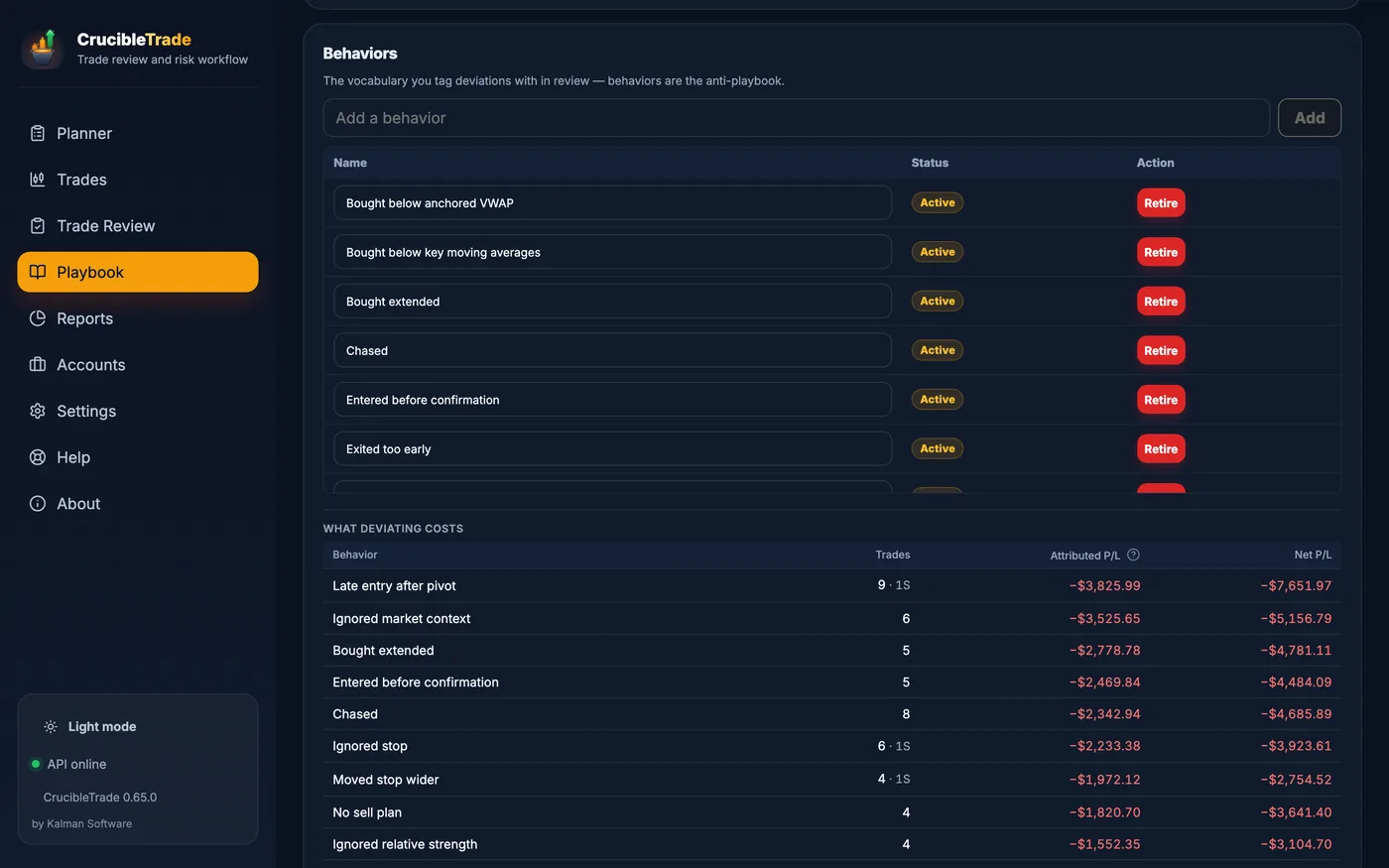
- What deviating costs: every behavior you tag in review, priced by the trades it touched and ranked against the rest.
- Multi-tag mistake cost that reconciles to the penny. A trade that broke two rules is shown both ways, net and attributed, and the attributed total adds up to your actual net P/L.
And the only question after that: am I improving?
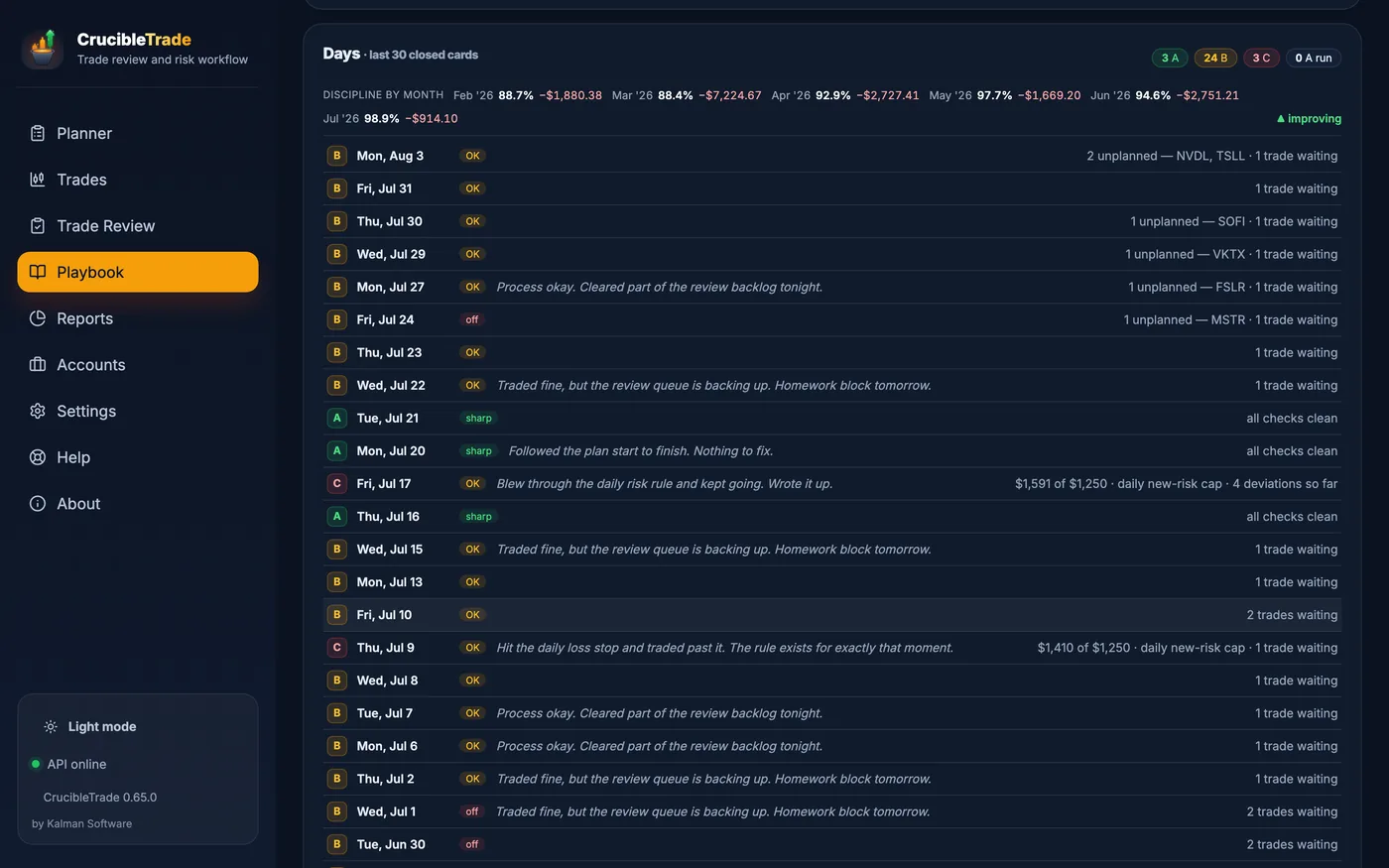
Every closed day, graded on process, under a month-by-month strip tracking two numbers: how much of your playbook you followed, and what deviating cost you.
- Adherence month by month: the figures climb as your process tightens up, flagged improving when the trend holds.
- Mistake & rule-break cost shrinking toward zero as the bad habits fade.
- Every graded day in one list: A, B and C cards with streak counts, the line you wrote that evening, and the one thing that cost you the grade.
Every angle on your edge
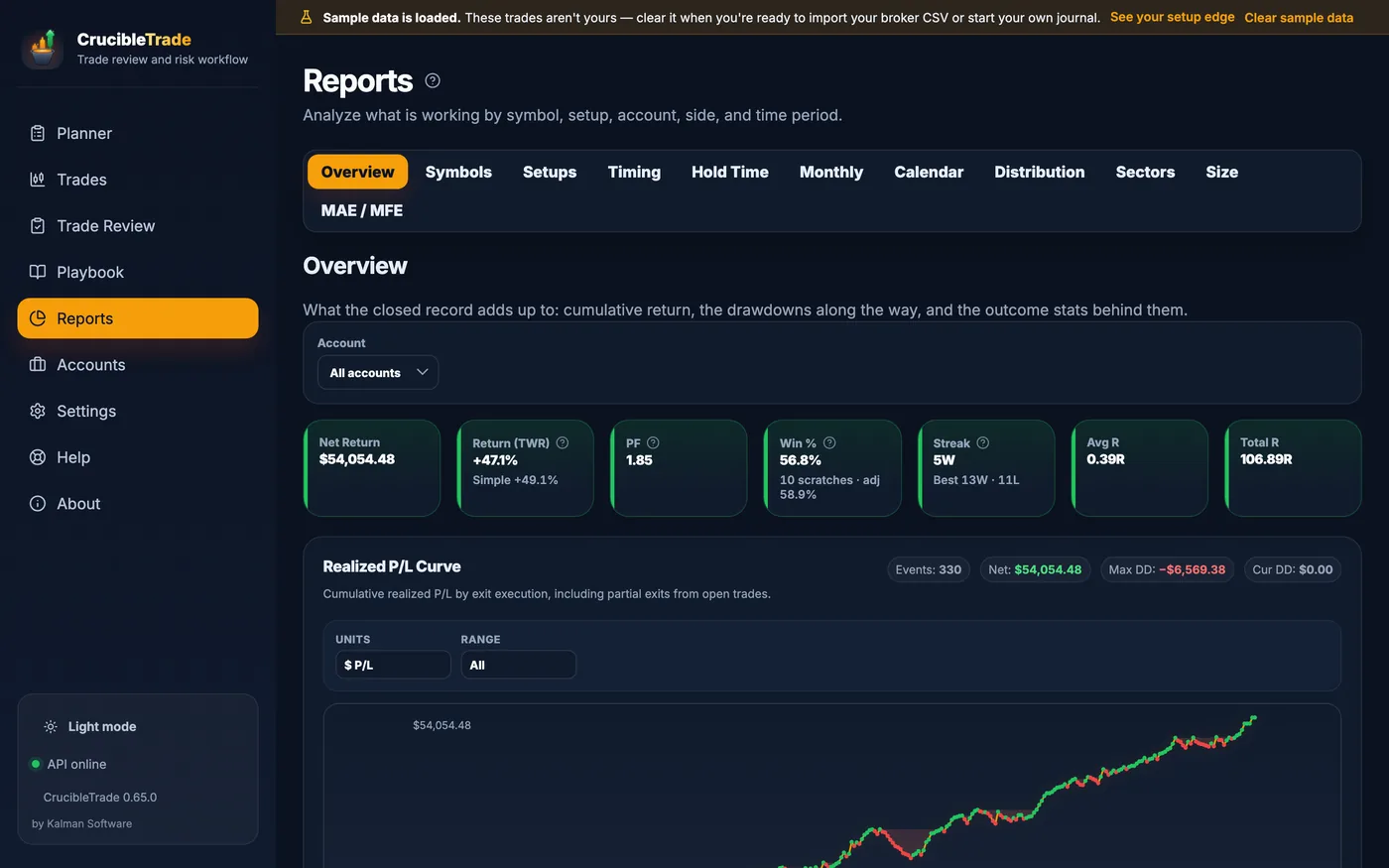
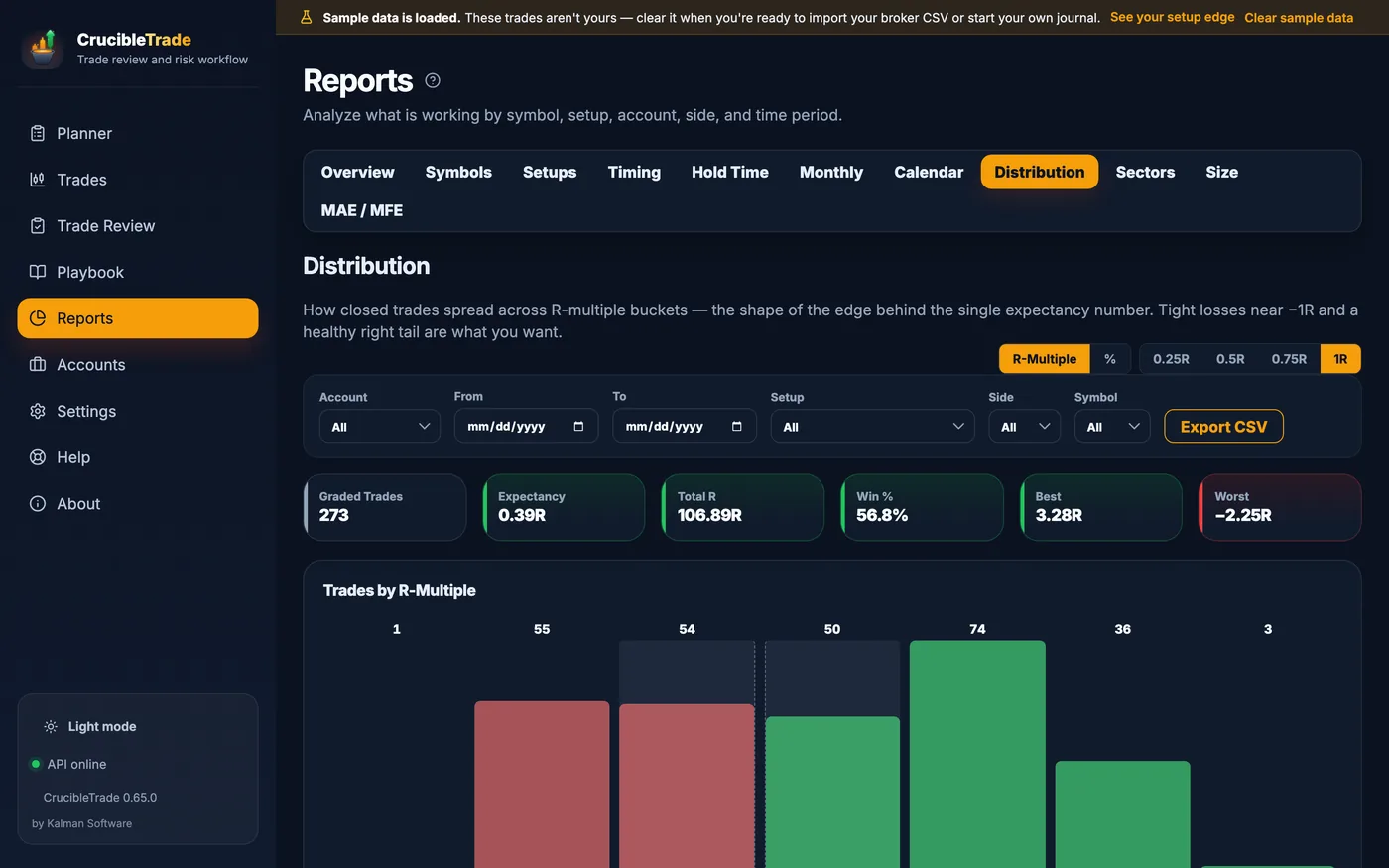
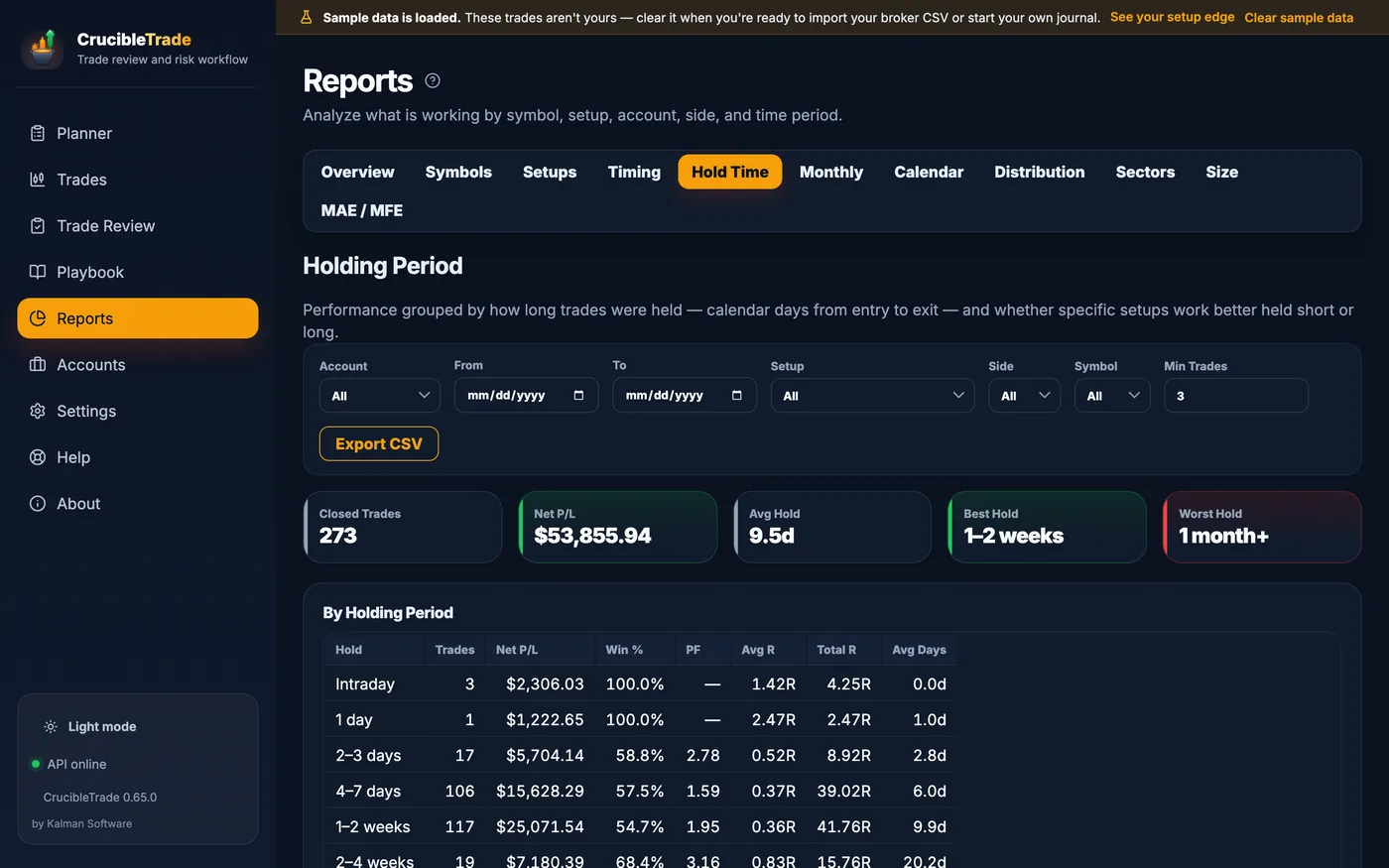
The same trades, sliced eleven ways: the overall curve, then by symbol, setup, sector, size, distribution, hold time, time of day, month by month, calendar and excursion, all behind one filter bar and all exportable to CSV.
A trade that went nowhere isn't filed as a loss. Anything inside a scratch band you set (|R| ≤ 0.1 by default) counts as a scratch: it doesn't dent your win rate, break a streak, or push the throttle toward cool-down.
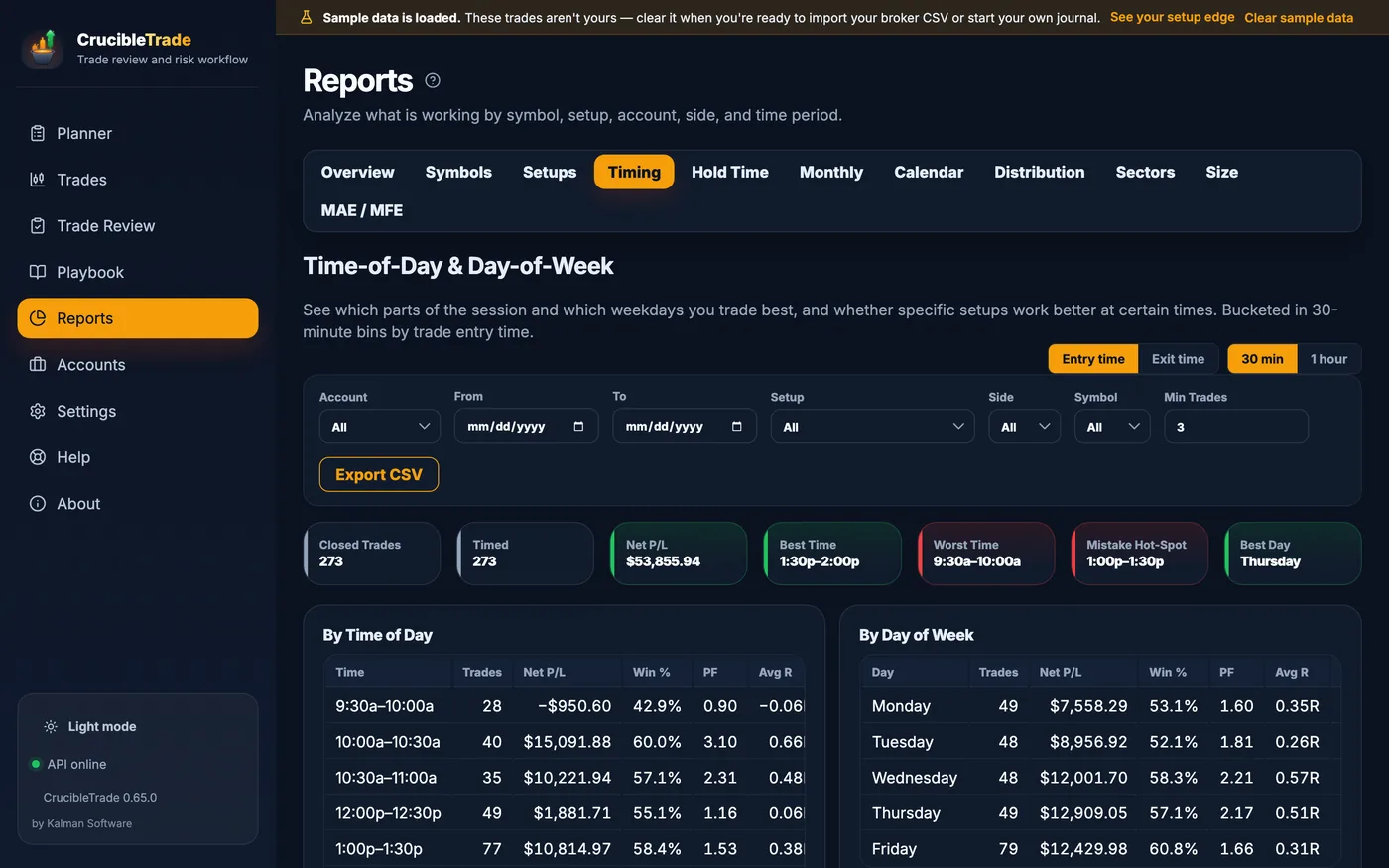
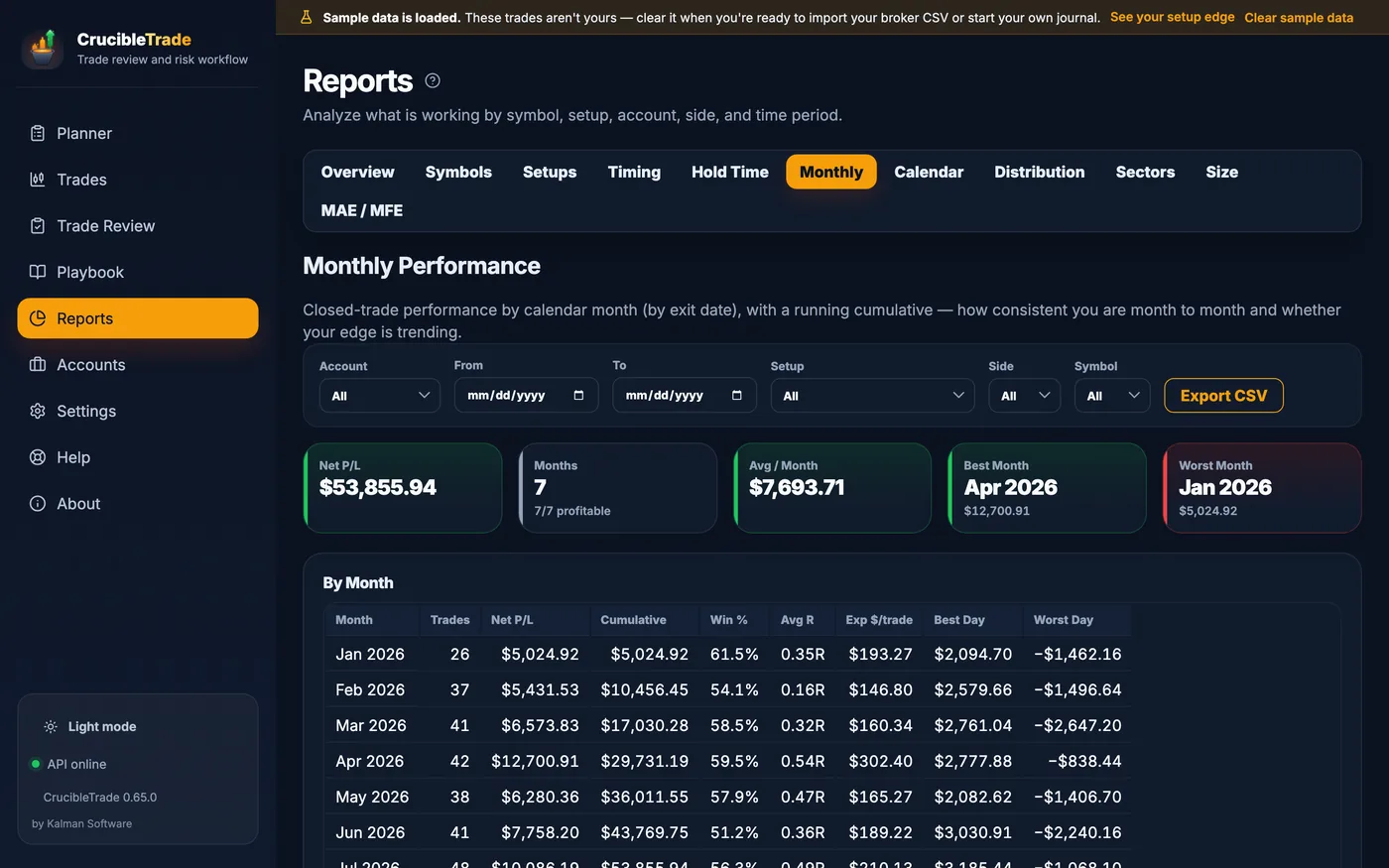
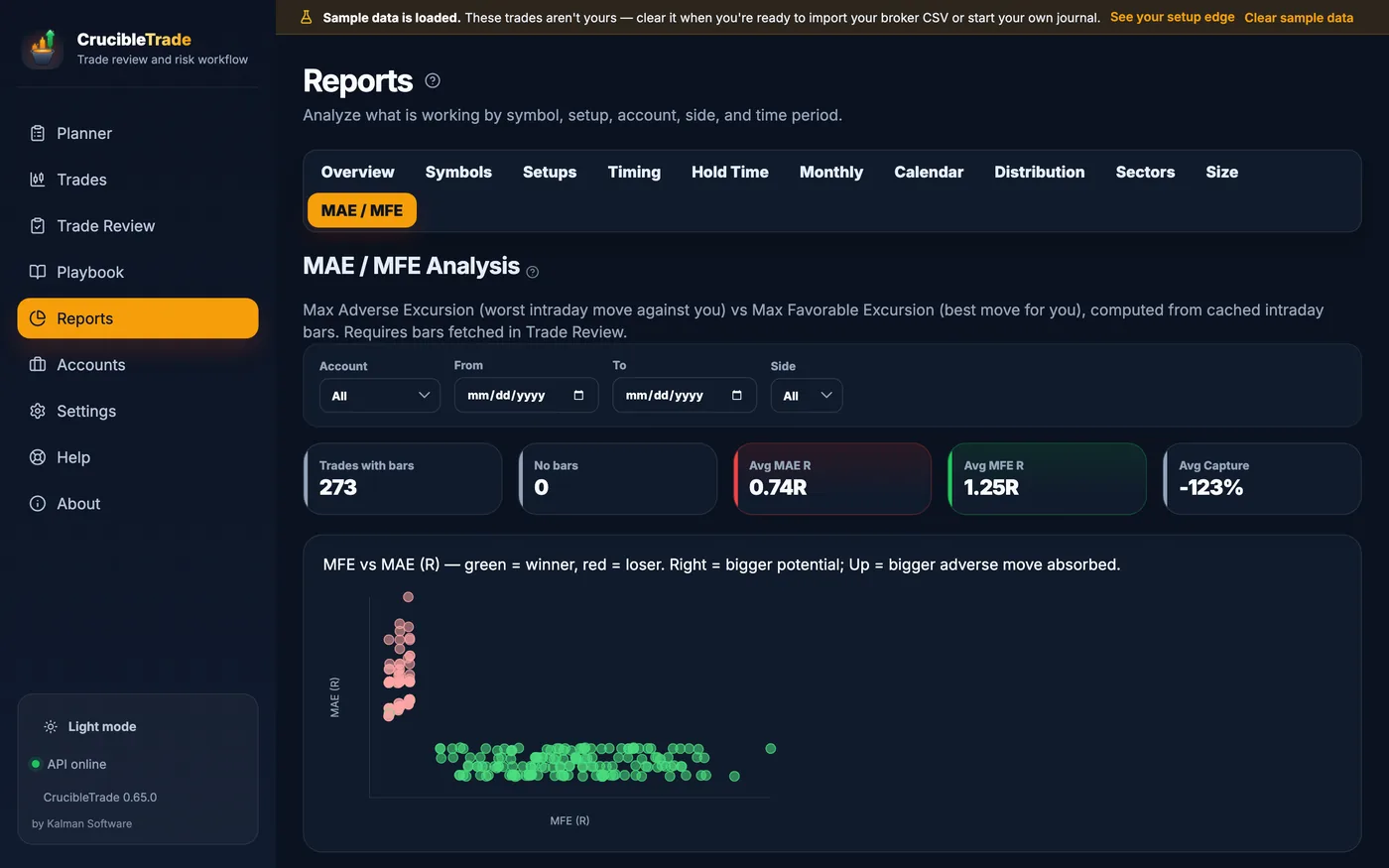
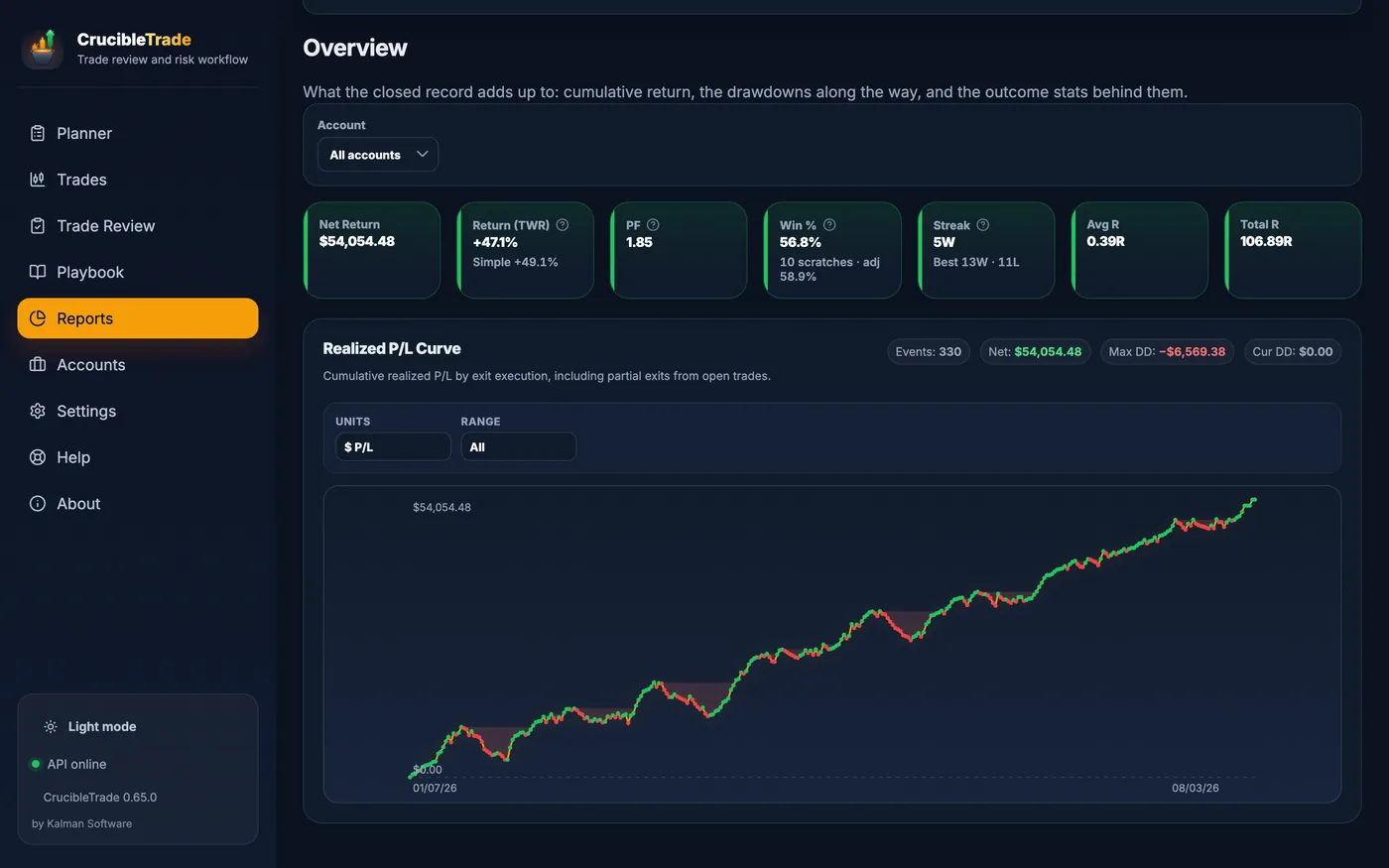
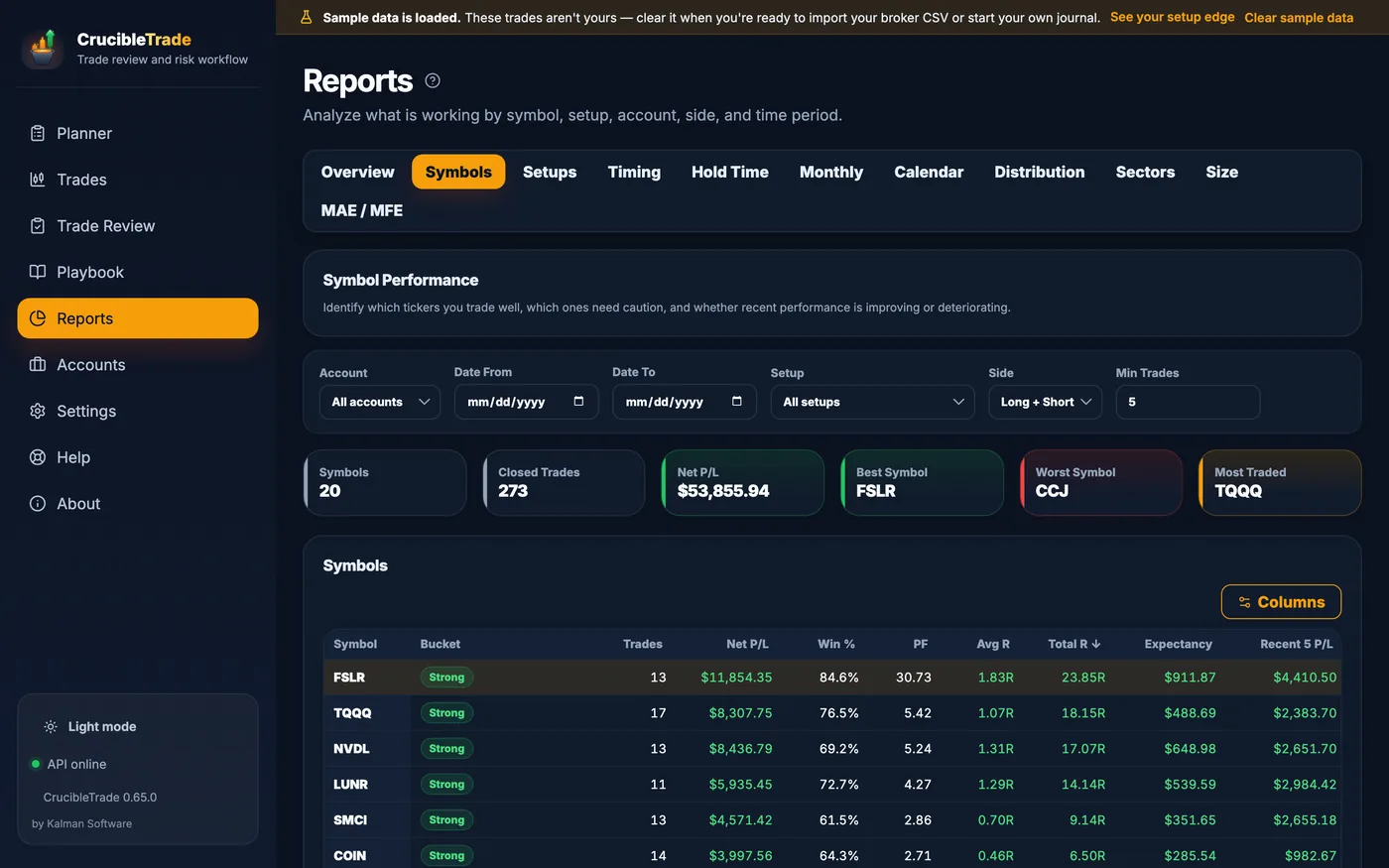
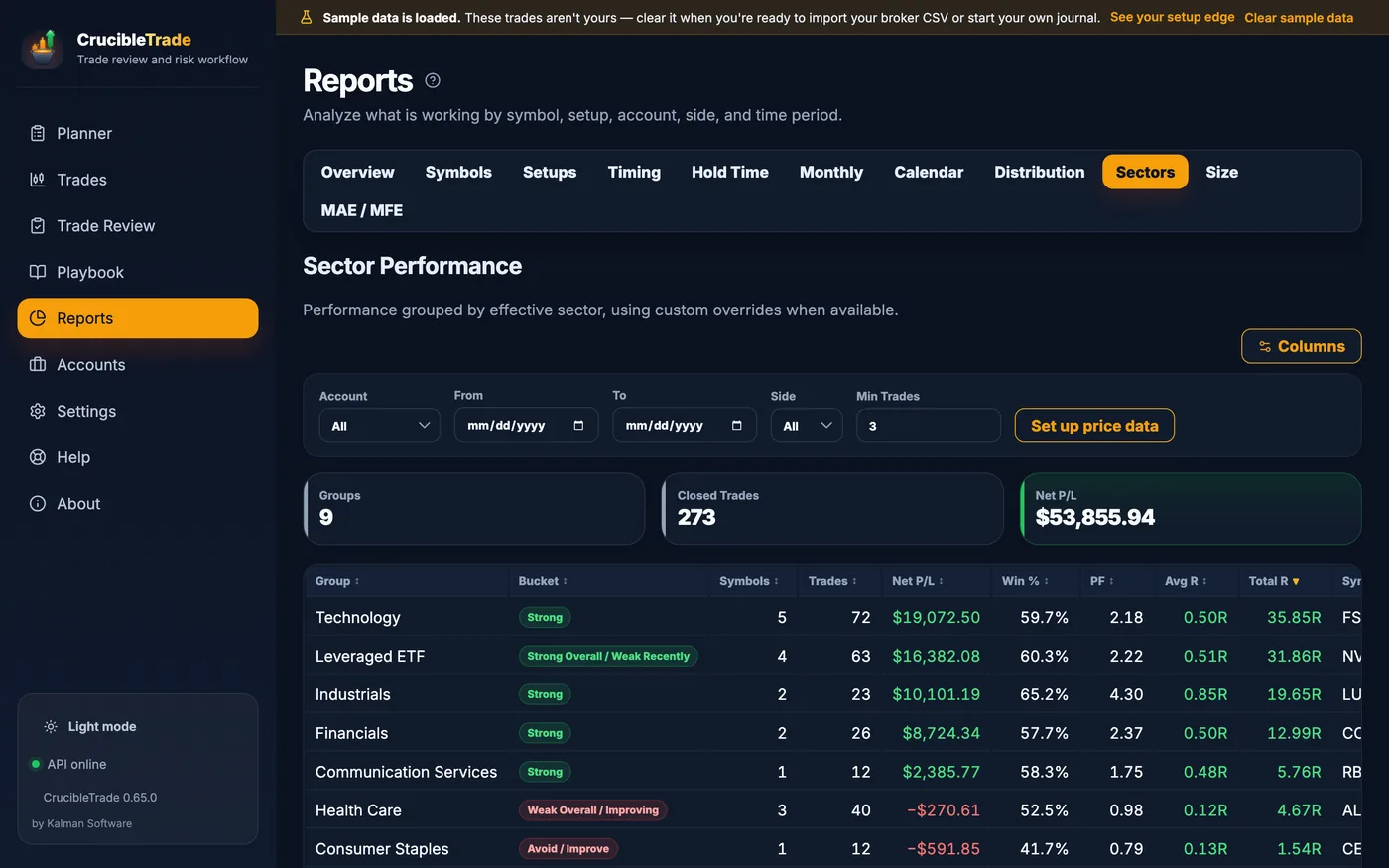
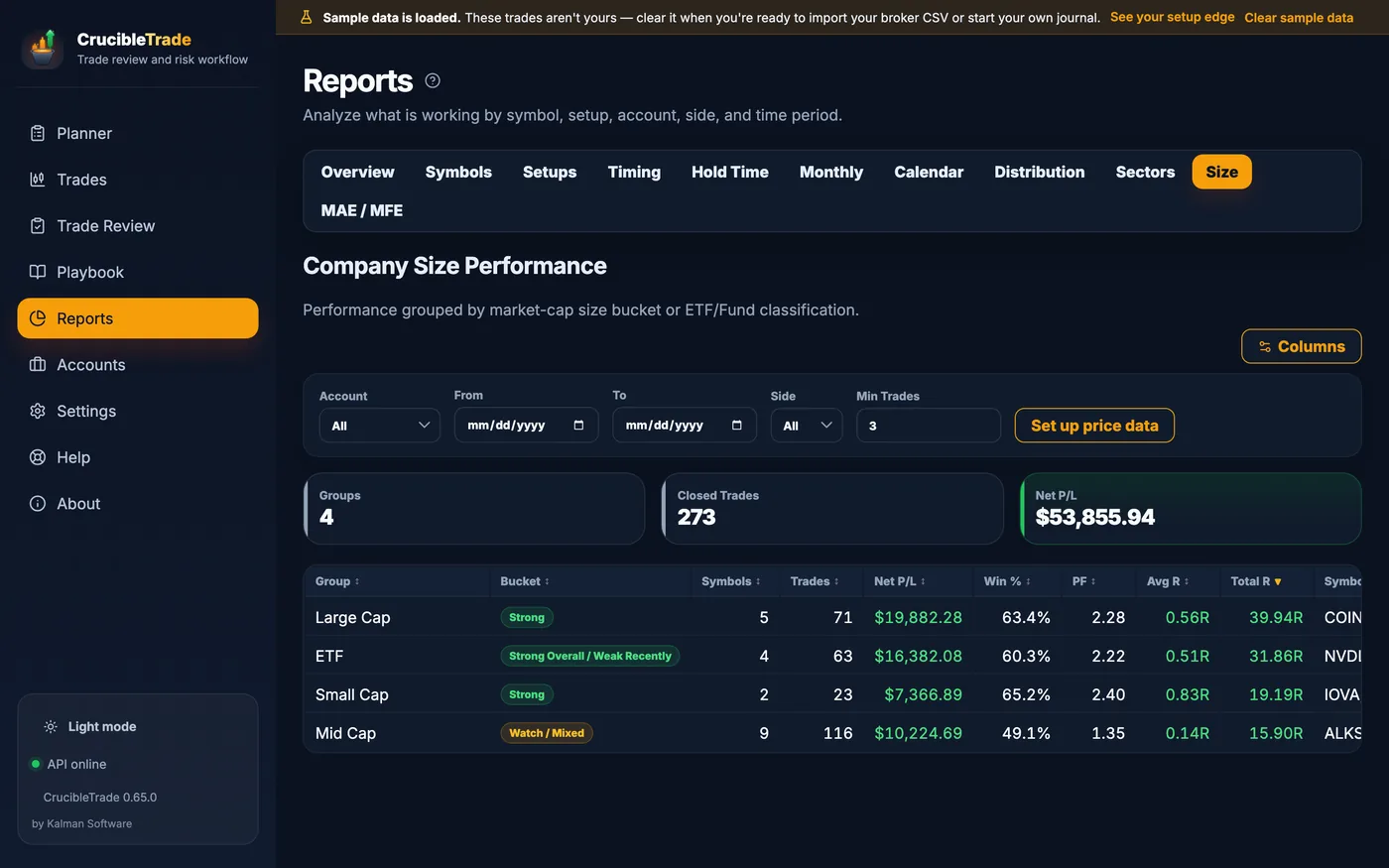
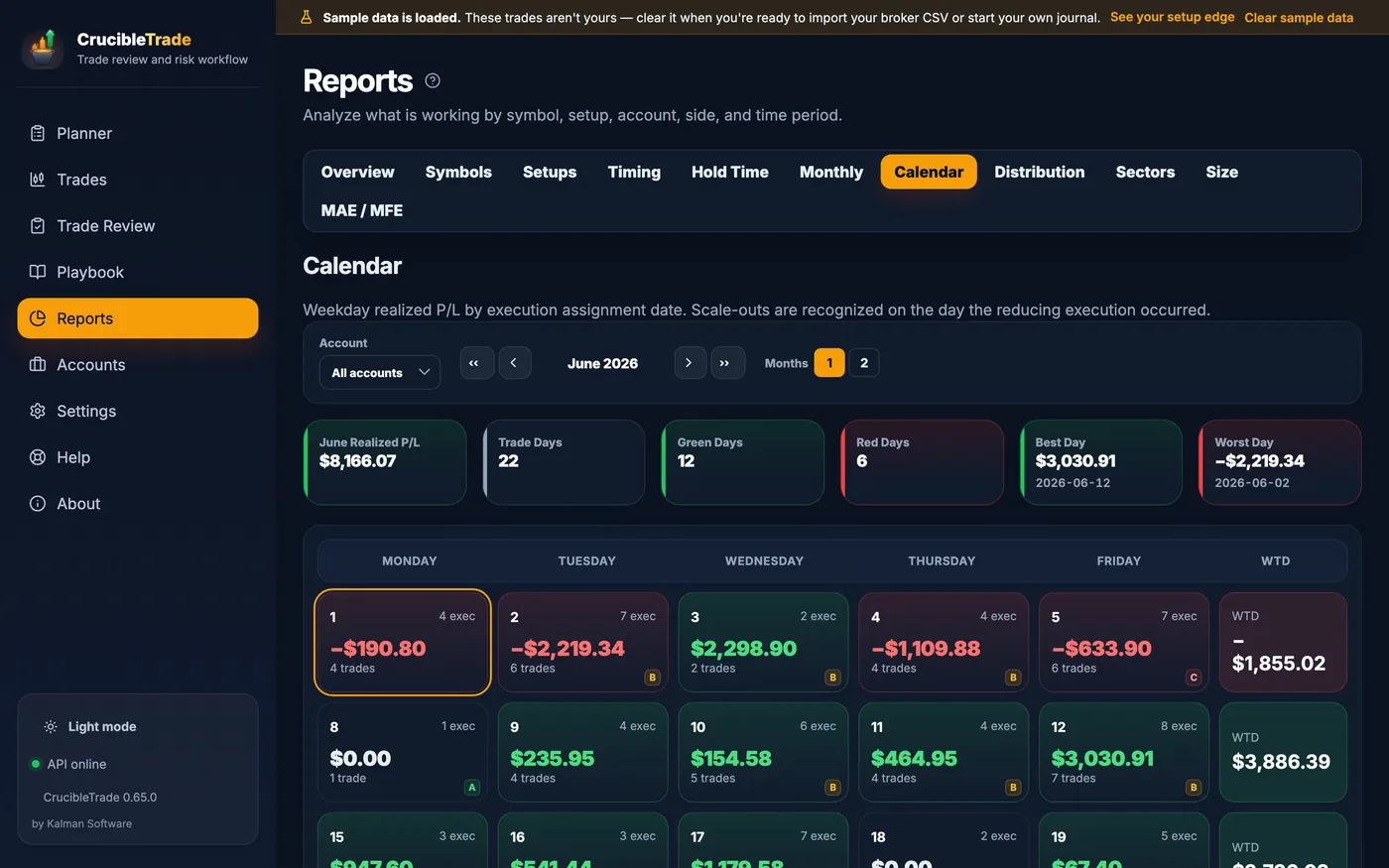
See a full year of trades before you import your own.
A fresh install opens a complete sample journal: a year of trades across two accounts, a written playbook, every report populated, and charts that work offline. Browsing it never starts the trial clock.
Size an idea
Open the Today page: ideas in every status, each sized to its account's risk budget, with plan notes that explain how an entry and a stop became a share count.
Work the open book
Eight open positions with trailed stops, a two-leg split stop mid-scale-out, and each account throttled by its own status: the day as it actually looks.
Close the day, read the lesson
Most days are already graded; the newest is left open so you can try the 30-second ritual. Each closed trade's notes show what went well, what went wrong, and one change.
Watch discipline pay
The sample trader has an arc: early months carry broken rules and losses that ran past stops; later months grade higher. The Playbook's discipline-by-month strip reads up and to the right.
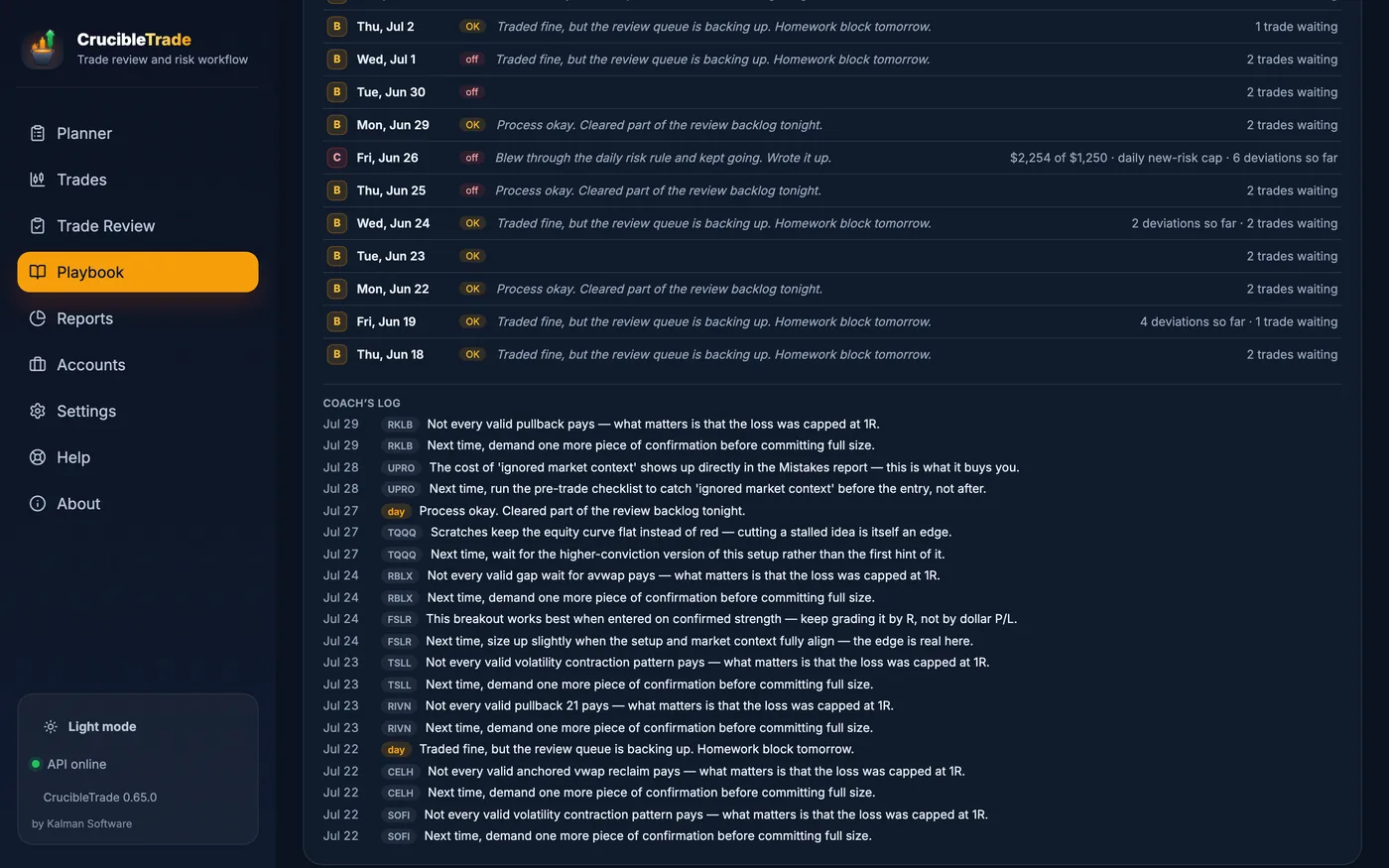
Opens automatically on a fresh install, and again from Settings → Backup / Restore → Load Full Sample Database. Clear it to import or start empty.
Serious tooling, zero busywork
Seven workspaces (Today, Trades, Review, Playbook, Analytics, Accounts, Settings) handle the unglamorous parts so your time goes into reviewing, not bookkeeping.
Import & data
- Thinkorswim / Schwab account statement CSV
- Fidelity history & ATP order enrichment
- LIFO execution → trade matching that survives re-imports
- Broker timezone normalization
- Multi-account, multi-broker, with a "needs review" inbox for ambiguous fills
Review & charts
- Cached 2m / 5m / 15m / 30m / daily candles
- Entry/exit markers, initial & current stop lines
- Anchored VWAP & moving averages
- Setup, multi-tag behavior & lesson fields
- Keyboard-driven "needs review" queue, with bulk status across the current filter
- Chart downloads off until you switch them on; prices typed or pasted otherwise
Risk & reporting
- R-multiple & expectancy everywhere
- Day / week / month loss stops and new-risk caps, in RU, % or $
- Time-weighted return that neutralizes deposits and withdrawals
- A scratch band you set, so near-breakeven exits don't read as losses
- CSV export on every report table
- Backups to a folder you choose, so they outlive the app · repair that takes a snapshot before it touches anything · light and dark themes
One file on your disk, and nothing that can be switched off
CrucibleTrade is a desktop app backed by a single local SQLite database. There is no account to create, nothing to sync, and no server between you and your own trading record. Nothing about you or your trading ever leaves your machine.
Second product under the same contract as RangefinderInvest: local file, pay once, offline verification.
Pay once. Keep it.
Launch offer. The first 100 paid licenses are $99; the regular price is $149.
Includes 12 months of updates. The license never expires, and every version you have keeps working after the year is up. Another 12 months of new versions is an optional $59 update pass that never auto-renews.
30-day full trial, starting on your first edit or import. When it ends the app goes read-only; reports, exports and backups keep working. 30-day refunds.
Checkout by Stripe, the merchant of record. Full refund within 30 days; see the terms.
A different kind of trading journal
Most journals are hosted subscriptions that pick your trading day up after the close and keep the record on someone else's servers. Here is the trade, in both directions.
| CrucibleTrade | Typical cloud journal | |
|---|---|---|
| Where your trades live | On your machine in a local SQLite file | On the vendor's servers |
| Account & login | None | Required |
| Pricing | One-time purchase; 12 months of updates included, license never expires | Monthly / annual subscription |
| What happens when you stop paying | Nothing; you already paid. A lapsed update year takes nothing away | Access ends; your history sits behind the paywall |
| Works fully offline | ✓ Yes | Needs a connection |
| Sizes the next trade before you take it | ✓ Entry + stop → shares, against a per-account risk budget | Separate / limited |
| Trailed, break-even & split stops, with R anchored to initial risk | ✓ Up to three lots; R never re-baselined | Rare / partial |
| Per-setup playbook + rule-adherence scoring | ✓ Built in | Varies |
| Multi-tag mistake cost, with no double-counting | ✓ Two-lens attribution | Rare |
| "Am I improving?" discipline trend over time | ✓ Month-over-month | Varies |
| Per-account daily / weekly loss limits + risk throttle | ✓ Sizes ideas down when you're pressing | Rare |
| Your data is portable and yours | ✓ It's a file you own | Export on request |
| Broker coverage | CSV import, two families: Thinkorswim/Schwab and Fidelity | Often 100+ brokers |
| Automatic broker sync | ✗ No; you import a CSV | ✓ Common |
Compared against the common model of hosted, subscription journals such as Tradervue, TraderSync, TradeZella, TradesViz and Edgewonk. Exact features vary by product and plan; check their current pages.
Longer reads: a trading journal without a subscription · a local-first TradeZella alternative · journaling thinkorswim trades
Frequently asked
What does it cost?
A one-time license, no subscription; the current launch offer and regular price are in the pricing section. It includes 12 months of updates, and the license itself never expires: every version you have keeps working, and another year of new versions is an optional update pass. The license is verified on your machine and can be moved between your computers. Checkout by Stripe; 30-day refunds per the terms.
What happens when the trial ends?
The app goes read-only. The 30-day clock starts on your first edit or import, not at install, so browsing the sample costs nothing. If it lapses before you buy, every trade and report stays readable, and CSV export and backups keep working. Importing, editing, planning and saving reviews resume when a license is activated.
Which brokers can I import from?
Two families: Thinkorswim / Schwab account-statement CSVs and Fidelity history CSVs, plus Fidelity ATP order files for precise execution times. That is the whole list today; there is no broker API sync. Imports are account-scoped, re-imports don't double-count, and matching preserves the setup, notes, and stops you already entered.
Is my data sent anywhere?
Your trading data? No. Everything lives in a local SQLite database on your computer; there is no account, no login, and no background sync. The app goes online for two things: market data you switch on (candles, quotes and ticker metadata from Yahoo Finance or, with your own key, Alpaca; a request carries a ticker and a date range, never a position), and a once-a-day update check carrying the app version and operating system, which you can turn off in Settings → Updates. The privacy policy lists both in full.
Download CrucibleTrade
The full app, free for 30 days.
macOS
macOS 13 or later · Apple silicon · 176 MB
Download .dmgSigned and notarized by Apple, so it opens with no Gatekeeper warning. Drag it to Applications and go. This build is Apple silicon only; there is no Intel build yet.
SHA-256 · .dmg3128ce89e3c81c897030bbd8fa164b03b2bbd4f05ba5f91fa03e7cb3d4e56a14
Windows
Windows 10 or 11 · 64-bit
Get it from theMicrosoft StoreMicrosoft signs and delivers the Store build, so it installs with no security warning and keeps itself updated. On Windows this opens the Store app straight to the listing; press Get. If nothing opens, this PC hasn't got the Store (some Windows installs don't), so take the direct installer below instead.
Or download the installer directly (.exe, 154 MB)The direct .exe triggers a security warning, sometimes two. Here's why, and what to do.
Windows SmartScreen and Chrome's equivalent flag installers they haven't seen downloaded many times yet. It's a measure of how well known a file is, not whether it's safe. Every new independent app starts at zero and earns its way out.
Depending on your browser and Windows settings you'll meet one of these, sometimes both:
- Downloading: the browser says the file "isn't commonly downloaded". In Edge, the way through is hidden twice over: open the … menu beside the file in the downloads list and choose Keep, then, if a second box appears whose big button says Delete, click the ˅ on that button and choose Keep anyway. Deleting is the prominent option, not the correct one.
- Opening it: if Windows shows "Windows protected your PC", click More info, then Run anyway. You may not see this one at all.
Either box may also list the publisher as Unknown; the SHA-256 below is how you check the file you got.
Prefer to skip it entirely? Use the Microsoft Store button above. Microsoft re-signs that build, so there's no warning at all. If you reach the Store listing in a browser instead, click its View in Store button rather than Download: the web page's Download button gives you a small Microsoft-made helper .exe, which is new enough to draw the same unrecognized-file warning. Either way you can confirm you got the exact file we published by checking the SHA-256 below.
SHA-256 · .exe33c3b2666e669fb234f76c4ab70e80f4f23069b12fc33d56fce1567ccbbbfedd
Linux
64-bit · Debian/Ubuntu · 172 MB
Download .debUnsigned, like most direct Linux downloads. Your software centre may say "not from a verified source". Installing from a terminal skips that: sudo apt install ./CrucibleTrade-0.79.1.deb
SHA-256 · .deb3326f23d29afd25ccbd2783f02e3be9ca8e69fd439f31f575eb6537fce23f547SHA-256 · .AppImage7c21acd6157cef7930662d592abaead1909bc81735de2d50a778c7e1459768be
CrucibleTrade 0.79.1. Every file above is listed with its
SHA-256, and the same digests are published as
SHA256SUMS-0.79.1.txt. On
macOS or Linux, shasum -a 256 <file> should print the matching line.
30-day full trial, then a one-time purchase including 12 months of updates (pricing). 30-day refunds.